


Critical PHP Vulnerability (CVE-2026-109618 & CVE-2026-109619): Find Affected Servers with vScope
Two critical PHP flaws allow unauthenticated remote code execution. Here is how to find PHP installations in your Windows and Linux environment. vScope does not use PHP and is not affected.
 Anton Berghult •
 Prefer the short version? See our page Critical PHP vulnerability: find affected servers with vScope.
What happened
On 21 October 2026, PHP released fixes for two critical vulnerabilities, CVE-2026-109618 and CVE-2026-109619. Both are rated CVSS 9.2 and can allow an unauthenticated attacker to execute code on a server that runs PHP. Details of the flaws became public before many organizations had patched, and attacks have been reported.
- Fixed versions: PHP 8.5.12, 8.4.27, 8.3.36 and 8.2.35. Older branches are also affected and depend on your vendor’s packaging.
- Who is exposed: Any PHP runtime that serves web requests, including Apache with
mod_php, PHP-FPM, php-cgi, FrankenPHP and LiteSpeed. - The fix: Update PHP (or your vendor’s package or container image) and restart the web workers.
PHP is embedded in far more than websites: web shops, customer portals, intranets, ticketing systems and many commercial applications ship their own PHP.
The real challenge: knowing where PHP runs
Patching is the easy part. The hard part is answering “where do we run PHP, and which version?” across servers that were set up years ago, by different teams, with software that bundles its own interpreter.
This is exactly what an up-to-date software and package inventory is for.
How vScope helps
1. Software and package audit
vScope collects installed software and packages from your servers. Search your inventory for PHP and you get a list of the discovered servers that have it, which version they run and where it came from. Sort by version to see which servers are below the fixed releases and need to be patched first.
To find PHP:
- Create a table of the asset type
Applicationsand search forphp, or for software you know uses PHP. - Use the column
Installed Onto list the endpoints that run the application. - Add
php, or an application name, as a filter to narrow the list. - You can also use the asset type
Processesto see PHP processes that are running.
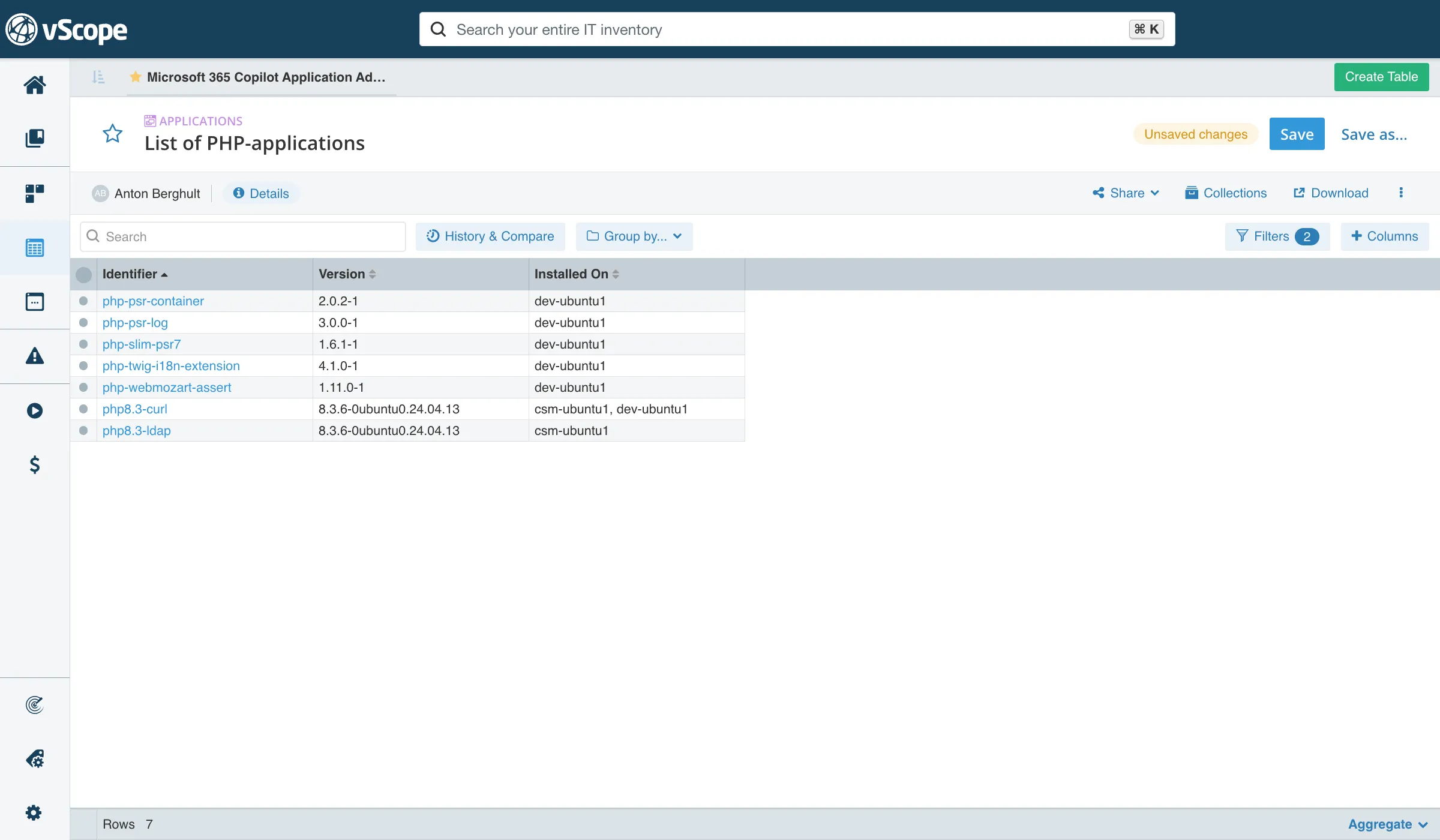
Linux distributions often backport fixes without changing the version number, so check your vendor’s advisory before you decide that a server is vulnerable.
2. Ready-made reports and insights
You don’t have to build the searches yourself. vScope comes with ready-made reports and insights that help you with these steps, for example:
PHP installations: where PHP is installed in your environment.Potential vulnerable applications using PHP: applications running PHP that may contain known security vulnerabilities.Vulnerable PHP versions discovered: PHP versions in your environment that are known to be vulnerable.
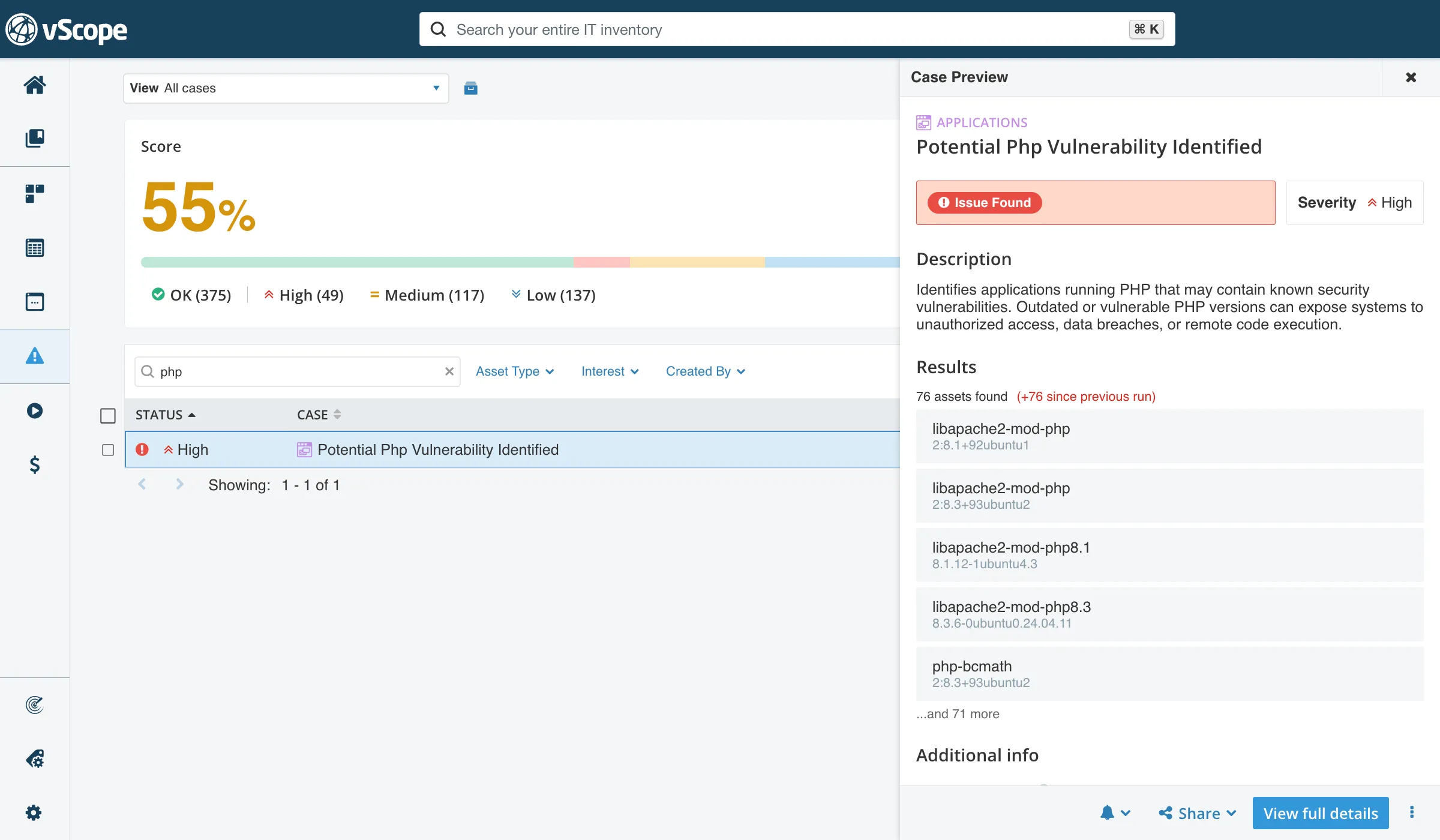
Read more about Reports & Insights.
3. See which services are affected
In vScope, servers are connected to the applications they run and the IT services they deliver. Find the servers that run PHP, then follow the relationships to see which services depend on them. That lets you patch the internet-facing services first, and handle servers that no service depends on later.
Read more about Relationships.
4. Windows and Linux in the same view
vScope discovers both Windows and Linux environments. Windows applications and Linux packages end up in the same asset repository, so you don’t need one process for IIS servers and another for Apache and Nginx hosts.
5. The data is already in vScope
vScope is a self-updating asset library, always available to everyone who needs the information. If you already run vScope, you can start searching your inventory today.
6. Follow up until it’s fixed
vScope keeps a history of changes. Run a new discovery after patching and re-run your search to confirm that servers moved to a fixed version, and use the result as documentation for your security team, auditors or management.
Is vScope affected?
No. vScope does not use PHP in any way, so CVE-2026-109618 and CVE-2026-109619 do not affect it.
In addition, vScope runs on-prem, in your own environment. It is not a hosted service, and it is protected by the same security practices you apply to the rest of your infrastructure: your network segmentation, your access control, your patching routines. Your inventory data stays with you.
What to do now
- Search your inventory for PHP and list servers by version.
- Prioritize internet-facing servers, and anything running
mod_php. - Patch or replace to a fixed version. Check your application vendor’s advisory, since some applications bundle their own PHP. Rebuild container images and restart all web workers.
- If you can’t patch right away, limit public access to the application and apply request-size limits in your reverse proxy or WAF.
- Run a new discovery and verify in vScope that no discovered server is left on a vulnerable version.
What vScope doesn’t cover
vScope shows what it can discover. No inventory covers everything, so keep these gaps in mind when you search for PHP:
- Undiscovered platforms and assets: servers, containers (Docker, Kubernetes) and other platforms that discovery isn’t set up for, and shadow IT outside your reach, such as SaaS and external clouds.
- Assets vScope can’t log in to: discovery depends on credentials. Where access is missing or insufficient, the data will be too.
- PHP inside your own code: PHP that is embedded in custom-built software, or bundled in a way that isn’t registered as an installed package, may not show up in a software search.
Use vScope to cover what you know about, and treat gaps as a reason to extend discovery.
Don’t have vScope yet?
vScope is agentless and is quickly installed and configured in your environment. Book a demo and we’ll show you how to find out what is running, before the next vulnerability makes it urgent.
Learn more about vScope
- Asset Discovery: agentless discovery of servers, software and packages across Windows and Linux.
- Governance: give assets owners, context and documentation.
- Compliance: continuous checks and evidence for security and audits.
Sources
Related blog posts

New in vScope: Track Microsoft 365 Copilot Usage Across Your Organization
Know exactly how Copilot is used across your organization. By who, and where. vScope now has extended its coverage of ready-made reports about Copilot adoption, license utilization, and usage patterns. Immediately visible, and easy to share.
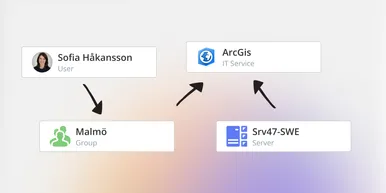
See How Your IT Environment Actually Fits Together
vScope has always mapped the relationships in your IT environment automatically. Now you can explore them visually. The Relationship Map is a new view in Properties and Governance – always current, no manual work required.

New in vScope: DigiCert Integration for Certificate Inventory
You can now inventory certificates from DigiCert directly in vScope — giving you a complete overview of the SSL/TLS certificates in your environment. Set up proactive alerts, enrich your documentation with tags from DigiCert, or link certificates to your service documentation for greater detail.

New in vScope: Find AI Software Across Your IT Environment
AI tools like ChatGPT, Claude, and Microsoft 365 Copilot are spreading fast across organizations – often without IT having full visibility. The latest update to vScope includes ready-made tables that instantly show which machines and users have AI software installed or licensed.
New in vScope: Connect Your Asset Inventory to Power BI
vScope can now share its continuously updated IT insights directly with Power BI. Connect the asset inventory to your dashboards to create shared decision-making data for IT, finance, and leadership. This article walks through the benefits of using vScope as a Power BI data source.

Stronger Security in vScope: Support for SAML SSO and Kerberos
In the latest update of vScope, we introduce support for SAML 2.0-based Single Sign-On (SSO) and Kerberos authentication. These new features are an important step in giving you more options to strengthen the security of your IT inventory and access to your asset register. In this post, we walk through the updates and how to make the most of them.

New in vScope: Support for Intune App Assignments
With support for Intune App Assignments, you gain full control of application deployments in Microsoft Intune. vScope’s asset inventory provides instant visibility, clear reports, and alerts on changes - for stronger security, simplified compliance, and a complete overview.

Keep Track of Your Microsoft 365 User Accounts
It just got easier to stay on top of your Microsoft 365 users. With new tables and reports in vScope, you now get a ready-made overview of accounts, permissions, and licenses - without the hassle of manual data collection.

New Content for Active Directory
Stay on top of your Active Directory with new content in vScope. Get a clear overview of security, compliance, and efficiency - without manual work. In this blog post, we walk you through what’s new and how you can uncover misconfigurations in your AD.