

Details
Enhance your storage management with vScope's Storage Module. Centralize storage information from NAS and SAN systems, perform proactive analyses, receive automated health checks, and utilize customized tagging. Track dependencies and analyze historical data to ensure optimal utilization and cost efficiency.
-
Centralized Storage Overview
Collect and visualize information from various storage systems, including NAS and SAN, in a single intuitive interface, eliminating the need for multiple management tools.
-
Proactive Analysis and Reporting
Build proactive analyses and share reports with colleagues to facilitate better capacity planning and storage optimization.
-
Automated Health Checks
Receive automatic health checks and bundled alerts about storage errors, enabling timely interventions to maintain system integrity.
-
Customized Tagging
Implement customized tagging for easier categorization and management of storage resources, enhancing organization and accessibility.
-
Dependency Tracking
Track dependencies between machines and storage arrays to prevent downtime related to misconfigurations and subsystem failures.
-
Historical Data Analysis
Plot graphs about fill rates and storage utilization to predict future capacity needs and make informed investment decisions.
Supported Platforms

Asset Types
- SAN Storage Pools
- SAN Snapshots
- NetApp Volumes
- NetApp Snapshots
- LUNs
- Disks
- Datastores
- NetApp Aggregates
- SAN File Systems
Example of Bundled Content
- Most recent NetApp snapshot is older than 1 day
- NetApp volumes using thick provisioning
- NetApp volume snapshot reserve unutilized
- SAN file systems with less than 100GB remaining (>50% usage)
- SAN storage pools with high usage (85-95%)
- Unused datastores
- NetApp volume snapshot reserve exhausted
- Disks without partitions
Get Visibility.
Recent blog posts
All posts
Less Guessing, More Knowing — Wherever It's Needed
We're releasing several new features that help you get better visibility and collaboration in, and outside of, your IT organization. Asset Health in Properties, Share to Teams, and external report recipients are all really about the same problem: the right data, to the right person, at the right time.

New in vScope: Track Microsoft 365 Copilot Usage Across Your Organization
Know exactly how Copilot is used across your organization. By who, and where. vScope now has extended its coverage of ready-made reports about Copilot adoption, license utilization, and usage patterns. Immediately visible, and easy to share.
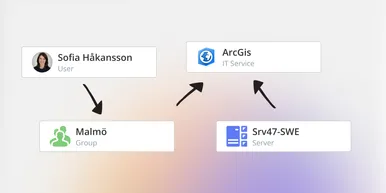
See How Your IT Environment Actually Fits Together
vScope has always mapped the relationships in your IT environment automatically. Now you can explore them visually. The Relationship Map is a new view in Properties and Governance – always current, no manual work required.