

"– We now have a full overview of our IT in a single view."

Lars Leonardsson
IT Manager, Deloitte AB
NIS2 has applied in Sweden since 15 January 2026. It requires you to manage your assets, control access and notify significant incidents within 24 hours. vScope gives you an up-to-date inventory of everything in your IT environment – automatically, with history and ready-made reports.




NIS2 is an EU directive that applies in Sweden through the Cybersecurity Act (2025:1506). Organisations in critical sectors, municipalities and regions must register with the Swedish Civil Defence Agency (MCF) and take appropriate security measures. Many of them depend on knowing your assets: servers, clients, networks, cloud, software, accounts and licences.
Asset management and access control. Know what you have and who can reach it.
Incident handling. Notify within 24 hours, report within 72 hours, final report within one month.
Management responsibility. Management needs a basis to follow up the measures.
Without an up-to-date picture, these are hard to meet – and hard to prove. A CMDB that keeps itself accurate gives you that picture.
"– We now have a full overview of our IT in a single view."
Lars Leonardsson
IT Manager, Deloitte AB
"– We have suffered from not having a single source of truth for our assets."

John Palmqvist
IT Manager, Hässleholm Municipality
vScope automatically inventories servers, clients, networks, cloud services and accounts. All information is gathered in one shared register that is updated daily – so you know which assets you have and can follow how the environment changes.
Get a complete picture of each person's accounts, devices and connected services. See which accounts are active, when they were last used, and spot accounts that are no longer needed.
PERSON
Erik Lindberg
| Name | Found By | Last Logon | Active |
|---|---|---|---|
| Erik Lindberg | Google Workspace | 2026-10-15 20:36:05 | true |
| erik.lindberg | Azure RM | 2026-10-20 11:03:28 | true |
| elindberg | Cisco Duo | — | true |
| Identifier | Operating System | Last Found Date |
|---|---|---|
| Erik's Laptop | Windows 11 | 2026-10-20 11:27:36 |
| Mobile Device | iOS | 2026-10-20 11:27:36 |
| Identifier | Expiry Date |
|---|---|
| Microsoft 365 Business Premium | 2026-11-12 12:59:26 |
| Microsoft 365 E1 | 2027-10-18 02:00:00 |
| Microsoft Fabric (Free) | — |
| Microsoft Power Automate Free | — |
During an incident you need to quickly understand which systems and services may be affected. With vScope you get a complete picture of dependencies, owners and services – valuable input for incident handling and reporting.
vScope checks your IT environment daily and helps you detect deviations and security risks. With history, reports and dashboards you can follow progress and show how you work with the NIS2 requirements.
The law applies to organisations in a large number of sectors, for example energy, transport, health, drinking water and digital infrastructure, as well as municipalities and regions. MCF provides guidance on who is covered and how to register.
The security measures must include policies for access control and asset management. In practice, you need to know which systems, devices and accounts you have, who is responsible for them and how they connect – which is what a CMDB gives you.
A significant incident must be notified no later than 24 hours after you become aware of it. This is followed by an incident report within 72 hours and a final report within one month.
Book a demo and we'll show how vScope gives you an up-to-date inventory of all assets – using your own environment as the example.

Two critical PHP flaws allow unauthenticated remote code execution. Here is how to find PHP installations in your Windows and Linux environment. vScope does not use PHP and is not affected.
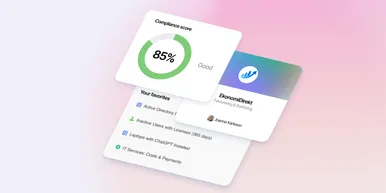
We're releasing several new features that help you get better visibility and collaboration in, and outside of, your IT organization. Asset Health in Properties, Share to Teams, and external report recipients are all really about the same problem: the right data, to the right person, at the right time.

Know exactly how Copilot is used across your organization. By who, and where. vScope now has extended its coverage of ready-made reports about Copilot adoption, license utilization, and usage patterns. Immediately visible, and easy to share.