CMDB tool · Agentless Discovery · On‑prem

A CMDB that updates itself.

vScope collects, quality-assures and connects information from your entire IT environment. Every day, without manual work.

  • 70+ asset types
  • 30+ integrations
  • 3,000+ ready-made reports
  • Unlimited users

What is a CMDB?

A CMDB is a repository of your IT environment that shows which assets you have, how they are connected and who is responsible for them. It gives a shared foundation for everything from IT operations and security to cost follow-up and regulatory compliance.

Decisions rest on a CMDB nobody trusts

The repository is filled in by hand and is out of date the same day. Then people stop using it.

  • Which assets are actually in the environment?
  • Who owns them?
  • How are they connected?
  • What changed most recently?

The result: different answers depending on who you ask.

A CMDB that builds and updates itself

vScope builds the CMDB from your entire IT environment and updates it every day.

  • Daily, agentless Discovery.
  • Normalized data: one asset instead of several duplicates.
  • Relations between platforms are built automatically.
  • Full history of every change.
  • Useful, for example for NIS2, KLASSA and other regulatory compliance.

The outcome: a repository you can trust, with assets, relations and history in one place.

Data quality and flexibility – built in from the start

Many CMDB tools rely on manual work or limited imports. When you use vScope as your CMDB, the repository stays current on its own, because Discovery updates it every day.

  1. Asset Discovery

    Automatic Discovery.

    vScope inventories the whole environment agentlessly every day: servers, clients, networks, virtualization, cloud, databases and users. New assets show up on their own and removed ones disappear.

  2. Integrations

    Clean, normalized data.

    The same asset can exist in a wide range of platforms, for example Active Directory, Intune, VMware and Entra ID. vScope normalizes and enriches the data and ties it together into one asset, so you see one truth instead of several duplicates.

  3. Relations

    Relations between assets.

    vScope connects assets across technical platforms: which virtual server runs on which host, which user has which computer, and which systems make up a service.

  4. People

    The people perspective.

    Start with a person and see everything around them: accounts in directory and cloud services, devices, services and costs in one shared view. This makes access reviews and user support faster.

    PERSON

    Erik Lindberg

    Overview

    Full Name
    Erik Lindberg
    Phone Numbers
    +46 70 000 12 34
    +46 73 000 56 78
    Last Activity
    20/10/2026, 11:03:28

    User Accounts (3)

    ⌕  Search
    NameFound ByLast LogonActive
    Google Workspace2026-10-15 20:36:05true
    Azure RM2026-10-20 11:03:28true
    Cisco Duo—true

    Devices (2)

    ⌕  Search
    IdentifierOperating SystemLast Found Date
    Windows 112026-10-20 11:27:36
    iOS2026-10-20 11:27:36

    Assigned Licenses (4)

    ⌕  Search
    IdentifierExpiry Date
    2026-11-12 12:59:26
    2027-10-18 02:00:00
    —
    —
  5. History

    Full history.

    Every change is saved automatically. Go back in time and see exactly what the IT environment looked like on a given date – valuable for incidents, audits and, for example, NIS2 or DORA.

    Name OS OS Version IPv4 Intune Primary User
  6. vScope Studio

    Extensible with your own data.

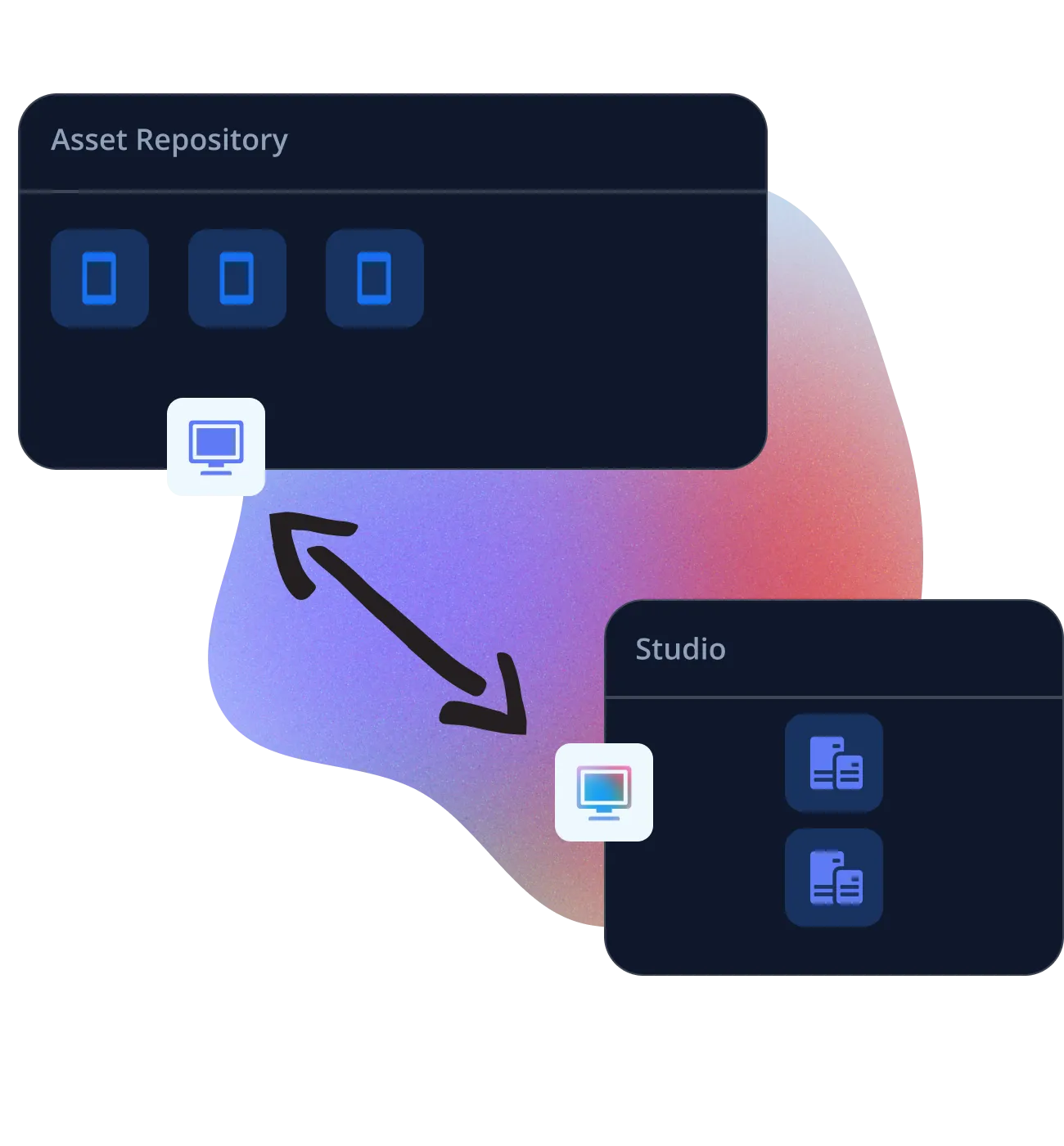
    With vScope Studio you import your own assets and fetch data such as tag values from other sources – for example contracts, costs or owners. It sits next to what Discovery collects, in the same repository.

    Asset Repository and vScope Studio exchanging custom asset types
  7. Billing

    See what IT actually costs.

    With Billing you add a price layer to the CMDB and link costs to assets, services and billing accounts. Because the data is already accurate and up to date, the cost reports are too.

Why vScope gives a more accurate CMDB

The difference between CMDB tools rarely lies in the interface. It lies in where the data comes from and how it is kept current.

  • How data comes in

    Manual CMDB (Excel, imports)
    By hand
    vScope
    Built-in agentless Discovery
  • How often it is updated

    Manual CMDB (Excel, imports)
    When someone has time
    vScope
    Daily, automatically
  • Data quality

    Manual CMDB (Excel, imports)
    Often incomplete/outdated
    vScope
    Normalized and tied together per asset
  • Relations between platforms

    Manual CMDB (Excel, imports)
    Missing or handled by hand
    vScope
    Complete platform mapping, built automatically – e.g. User ↔ Database ↔ Server ↔ VM ↔ Host
  • People perspective

    Manual CMDB (Excel, imports)
    Missing
    vScope
    Accounts, devices, services and costs gathered per person
  • History

    Manual CMDB (Excel, imports)
    Missing/Limited
    vScope
    Every change is saved
  • Own data

    Manual CMDB (Excel, imports)
    Yes, but separate
    vScope
    Own asset types and attributes alongside Discovery data
  • Agents

    Manual CMDB (Excel, imports)
    –
    vScope
    None
  • Where data is stored

    Manual CMDB (Excel, imports)
    Varies
    vScope
    On-prem, in your environment
  • Users

    Manual CMDB (Excel, imports)
    Often tied to licensing
    vScope
    Unlimited
Free Buyer's Guide

The Ultimate IT Inventory Software

Explore a complete checklist of the most important requirements for IT inventory software – so you can buy with confidence.

The right information. In the right tool.

vScope updates all your IT documentation daily and makes it available where you need it – in vScope, your service desk, Power BI or other systems. You keep your ways of working, but get better data to work with.

In vScope

Use vScope as your CMDB. The whole environment with relations and history, ready-made reports and dashboards for every role, and unlimited users.

Reports & Insights →

In your service desk

Already have a CMDB in your ticketing system? vScope keeps it up to date, and service desk staff see the device's owner, SLA and relations right in the ticket.

IT Service Management →

In your own tools

Pull the data into Power BI or other systems via vScope's API.

Integrations →

How EttIT uses vScope

EttIT runs IT for five municipalities and uses vScope as the shared fact base for the IT environment.

EttIT gets one shared truth for five municipalities

EttIT runs IT for Klippan, Bjuv, Perstorp, Åstorp and Örkelljunga. With vScope the operations team sees the whole environment in one place, and the municipalities' digitalization strategists get their own reports without asking operations for help.

Read the full customer story →
“vScope gives our operations team full visibility of the whole IT environment in one place.”
Thomas Nilsson, IT Manager at Klippan Municipality and EttIT – Thomas Nilsson, IT Manager, Klippan Municipality and EttIT

Frequently asked questions

What is the difference between a CMDB and an asset register?

An asset register lists your assets. A CMDB also shows how they are connected and which services they support. vScope does both, and keeps them up to date automatically.

Do we need to install agents?

No. vScope inventories agentlessly via standard protocols such as WinRM, SSH and APIs towards cloud and SaaS services.

Where is the data stored?

vScope runs on-prem in your own environment. No data leaves your network.

See your IT environment as a CMDB you can trust

Book a demo and we'll show how vScope builds and maintains your CMDB – using your own environment as the example.