

Details
Discover how vScope's IT Inventory module Backup helps you gain complete visibility of your IT environment with asset discovery and reporting.
-
Dependency Mapping
Track dependencies across data backup, VMs, operating systems, databases, and storage for a comprehensive overview.
-
Integrated Visualization
Visualize virtualization data alongside backup information to gain deeper insights into system interdependencies.
-
Growth Trends and Capacity Planning
Analyze growth trends and plan capacity effectively to ensure future scalability.
-
Gap Analysis
Identify discrepancies between CMDB records and data backup jobs to optimize data integrity.
-
Tailored Reporting for Compliance
Create customized reports to audit service levels, track policy compliance, and demonstrate data protection.
-
Backup Job Monitoring
Track failed and misconfigured backup jobs to improve reliability and mitigate risks.
Supported Platforms


Asset Types
- Backups
- Jobs
- Repositories
- Virtual Machines
- VM Snapshots & Checkpoints
Example of Bundled Content
- Veeam Backup Job Configuration
- Veeam Backup Job Performance
- VM Backup Information
- End-of-life: Veeam Backup & Replication 9.0
- Long-Running Veeam Backup Jobs
Get Visibility.
Recent blog posts
All posts
Less Guessing, More Knowing — Wherever It's Needed
We're releasing several new features that help you get better visibility and collaboration in, and outside of, your IT organization. Asset Health in Properties, Share to Teams, and external report recipients are all really about the same problem: the right data, to the right person, at the right time.

New in vScope: Track Microsoft 365 Copilot Usage Across Your Organization
Know exactly how Copilot is used across your organization. By who, and where. vScope now has extended its coverage of ready-made reports about Copilot adoption, license utilization, and usage patterns. Immediately visible, and easy to share.
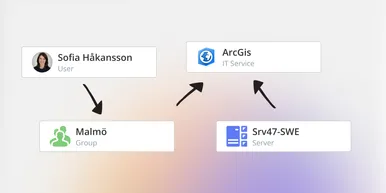
See How Your IT Environment Actually Fits Together
vScope has always mapped the relationships in your IT environment automatically. Now you can explore them visually. The Relationship Map is a new view in Properties and Governance – always current, no manual work required.