


Details
Connect vScope to PostgreSQL and inventory database clusters, schemas, roles, and replication topology. Get an up-to-date view of your entire PostgreSQL environment, and see it in context with assets from the rest of your infrastructure.
-
Cluster and database inventory
Document PostgreSQL clusters with version, port, configuration settings, and connection limits. Inventory each database including size, encoding, collation, owner, and last-access data.
-
Backup status and scheduled jobs
Inventory backups by type, tool, size, and retention time. Track scheduled jobs and set up alerts for failed runs from pg_cron or pgAgent.
-
Roles and connections
Document all roles and users with their privileges, group memberships, and connection limits. Identify superuser accounts, roles with replication rights, and idle or stale active connections.
Asset Types
- Database
- Schema
- User
- Backup
- Job
Example of Bundled Content
- Core Configuration for PostgreSQL Clusters
- PostgreSQL Database Documentation
- PostgreSQL Backup Status
- Roles with Superuser Privileges
- Failed PostgreSQL Jobs – 30 days
- Idle & Stale Connections
Get Visibility.
Recent blog posts
All posts
Less Guessing, More Knowing — Wherever It's Needed
We're releasing several new features that help you get better visibility and collaboration in, and outside of, your IT organization. Asset Health in Properties, Share to Teams, and external report recipients are all really about the same problem: the right data, to the right person, at the right time.

New in vScope: Track Microsoft 365 Copilot Usage Across Your Organization
Know exactly how Copilot is used across your organization. By who, and where. vScope now has extended its coverage of ready-made reports about Copilot adoption, license utilization, and usage patterns. Immediately visible, and easy to share.
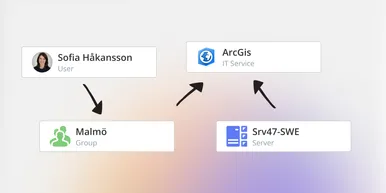
See How Your IT Environment Actually Fits Together
vScope has always mapped the relationships in your IT environment automatically. Now you can explore them visually. The Relationship Map is a new view in Properties and Governance – always current, no manual work required.