


Microsoft Active Directory
Collect Users, Groups and Computer Objects from your On-prem AD
Details
Integrate vScope with your Active Directory to automatically discover and centralize information on users, security and distribution groups, organizational units (OUs), and Group Policy Objects (GPOs). Enhance security understanding and streamline user visibility within your central asset repository.
-
Automated User & Group Inventory
Automatically identify and track users, groups (including nested structures), and their attributes within Active Directory, providing a perfect view of your user base in vScope.
-
Group Policy Object (GPO) Inventory
Visualize and document the GPOs applied across your domains, understanding their settings and scope of influence for improved compliance visibility.
-
Customizable OU Inventory
Select specific OUs to include/exclude from vScope's discovery to get the assets from companies, subsidiaries or other organizational unit that match your needs.
Asset Types
- Users
- Groups
- Organizational Units
- Group Policy Objects
- Computer Objects
Example of Bundled Content
- Active Directory Users Documentation
- Active Domain Administrators
- Empty User Groups in Active Directory
Get Visibility.
Recent blog posts
All posts
Less Guessing, More Knowing — Wherever It's Needed
We're releasing several new features that help you get better visibility and collaboration in, and outside of, your IT organization. Asset Health in Properties, Share to Teams, and external report recipients are all really about the same problem: the right data, to the right person, at the right time.

New in vScope: Track Microsoft 365 Copilot Usage Across Your Organization
Know exactly how Copilot is used across your organization. By who, and where. vScope now has extended its coverage of ready-made reports about Copilot adoption, license utilization, and usage patterns. Immediately visible, and easy to share.
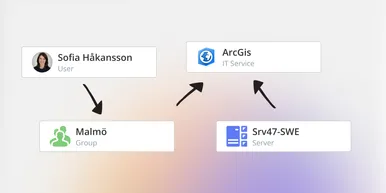
See How Your IT Environment Actually Fits Together
vScope has always mapped the relationships in your IT environment automatically. Now you can explore them visually. The Relationship Map is a new view in Properties and Governance – always current, no manual work required.