


Tackling Application Chaos: Why Comprehensive Windows Application Inventory Matters
Managing software and applications across an IT environment is often more complicated than it seems. IT teams regularly face challenges such as uncertainty about which applications are actually in use, outdated inventories, or inefficient manual tracking processes. The larger and more dynamic your IT environment, the harder it becomes to keep track of software, leading to inefficiencies, higher costs, and potential security vulnerabilities.
 Anton Berghult •
 ABOUT SOFTWARE ASSET MANAGEMENT (SAM)
Software Asset Management (SAM) is the practice of managing and optimizing the purchase, deployment, maintenance, utilization, and disposal of software applications within an organization. It involves keeping comprehensive records of software installations, licenses, usage, and associated costs.
Common Challenges with Application Management
1. Unclear Visibility into Software Assets Many IT managers admit they lack full insight into what software is installed across their network. With limited visibility, teams struggle to manage licensing, updates, or even basic compliance effectively.
2. Manual and Time-Consuming Processes Manual tracking and inventory processes consume significant resources and time. As an IT technician, you might end up spending hours compiling lists, verifying data, and cross-checking information, leading to frustration and inaccuracies.
3. Licensing and Compliance Risks Without a clear asset inventory, companies risk software non-compliance, which can lead to unexpected audits, licensing costs, or even fines(!). Effective software asset management (SAM) helps proactively manage compliance, avoiding surprise costs and penalties.
4. Security Vulnerabilities Undocumented, outdated, or unauthorized applications introduce significant security risks. A precise application inventory enables organizations to identify and remove potentially harmful software swiftly.
Introducing Broader Windows Application Inventory in vScope
To address these challenges, vScope now introduces an enhanced feature for broader application inventory specifically from Windows environments. This feature provides IT teams with automated, accurate, and comprehensive visibility into every installed application across your Windows-based devices.
- Comprehensive Visibility: Discover every application/software automatically without manual effort.
- Accurate and Up-to-date: Constantly refreshed data ensures your software documentation is always current.
- Streamlined Compliance: Quickly verify licenses and software usage to maintain compliance effortlessly.
- Enhanced Security: Identify unauthorized or vulnerable applications instantly, enabling rapid remediation.
We would love to learn more about your thoughts and challenges on this topic. Please get in touch or schedule a demo with us on the link below.
Related blog posts

Webinar Recap: How to Work with Modern IT Governance in vScope
We recently hosted a webinar on modern IT governance with vScope Governance. Here are the key takeaways: on why IT environments become complex, how a governance model works in practice, and how your teams can move from scattered spreadsheets to a living asset register.

From Intune to vScope: Why Endpoint Management Alone Is Not Enough
Intune gives you strong endpoint control. vScope turns that data into shared operational context for operations, security, compliance, and finance.

Why IT inventory initiatives often fail
IT inventory and discovery promise control, security, and cost clarity—yet many projects stall. Here's why they falter without the right platform, and what reliable discovery should look like.
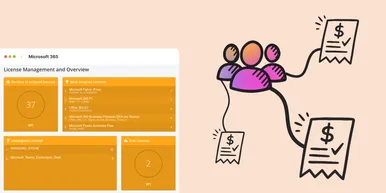
Microsoft 365 Pricing Changes 2026: What It Means for Your Budget
Microsoft is updating pricing and packaging for Microsoft 365 in 2026. Here’s what the currency adjustments and July price increases mean – and how CIOs and M365 admins should respond.
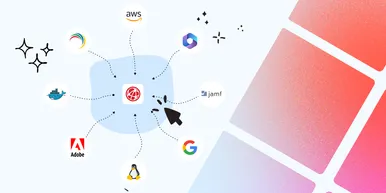
Effective Configuration Management Requires Transparency Across All Systems
In modern IT environments, the gap between reported and actual configuration is bigger than most people realize. In this article, I explain why accurate inventory requires collecting data about each asset from multiple sources – not just one.
How Lifecycle Cost Analysis Helps You Make Smarter IT Decisions
IT teams are under constant pressure to deliver more with less. But without understanding the true cost of every server, license, or laptop, even the most well-planned budgets can spiral out of control.

How Microsoft's New Licensing Model Impacts You - and How to Prepare with vScope
Starting November 2025, Microsoft will remove volume discounts in Enterprise Agreement, MPSA, and OSPA. In this article, we explain what the change means for your organization, and how vScope helps you gain full visibility and control of licenses and costs across your environment.
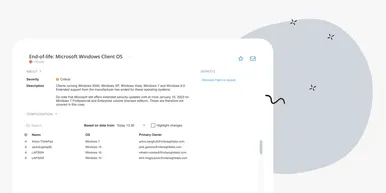
Last Day for Windows 10 - Are Your Clients Ready?
As of October 15, 2025, Microsoft officially ends support for Windows 10. In this article, we explore what that means, why Microsoft is making this change, and how you can use vScope’s inventory and prebuilt insights to stay ahead.
Warranty Management in Practice: Checklist, Pitfalls, and How to Automate with vScope
Learn how to manage device warranties the right way. We walk through a step-by-step checklist for manual warranty tracking and how to automate follow-ups, reports, and alerts with vScope Discovery.