

Microsoft 365 Pricing Changes 2026: What It Means for Your Budget
Microsoft is updating pricing and packaging for Microsoft 365 in 2026. Here’s what the currency adjustments and July price increases mean – and how CIOs and M365 admins should respond.
 Simon Håkansson •
 What’s Actually Happening?
In 2026, Microsoft is introducing two important changes to Microsoft 365 commercial pricing:
- Local currency price adjustments (effective February 1)
- List price increases and suite updates (effective July 1)
Individually, these changes are manageable. Combined, they create a more dynamic and less predictable cost model – especially for organizations with large E3/E5 or frontline user volumes. This article breaks down what is changing and what CIOs and Microsoft 365 administrators should evaluate right now.
Change 1: Currency Adjustments (Feb 1, 2026)
Effective February 1, 2026, Microsoft adjusted commercial cloud pricing in several local currencies to better align with USD exchange rates. According to Microsoft, the goal is to ensure more consistent global pricing across regions.
Cloud Pricing Adjustments
| Currency | Cloud Adjustment |
|---|---|
| Swiss franc (CHF) | -9.5% |
| Danish krone (DKK) | -7.4% |
| Euro (EUR) | -7.4% |
| Norwegian krone (NOK) | -7.2% |
| Swedish krona (SEK) | -13.5% |
For organizations billed in SEK, this means list prices were reduced in February. However, the broader implication is more important: Microsoft’s pricing model is becoming increasingly dynamic and exchange-rate driven.
That introduces additional budget variability over time.
Change 2: List Price Increases (July 1, 2026)
Beginning July 1, 2026, Microsoft is increasing list prices for several Microsoft 365 suites. Microsoft attributes these increases to added capabilities and ongoing platform investments.
Microsoft 365 Suite Pricing Changes
Here is a overview of the adjusted prices, from a news post from Microsoft from 2025
| Microsoft 365 Suite | Current List Price | List Price as of July 1, 2026 | Increase (%) |
|---|---|---|---|
| Business Basic | $6 | $7 | +16.7% |
| Business Standard | $12.50 | $14 | +12.0% |
| Business Premium | $22 | $22 | 0% |
| Office 365 E1 | $10 | $10 | 0% |
| Office 365 E3 | $23 | $26 | +13.0% |
| Microsoft 365 E3 | $36 | $39 | +8.3% |
| Microsoft 365 E5 | $57 | $60 | +5.3% |
| Microsoft 365 F1 | $2.25 | $3 | +33.3% |
| Microsoft 365 F3 | $8 | $10 | +25.0% |
For organizations with significant frontline (F1/F3) or E3 deployments, these increases can materially impact annual operating budgets.
The Critical Planning Window: February 1 – July 1
Between February 1 and July 1, there is a strategic decision window. The decision to make is:
Should we renew or enter a new annual commitment before July 1 to lock in current list pricing?
Under the New Commerce Experience (NCE):
- Annual commitments lock in price per license for 12 months
- License quantities can be increased during the term
- Quantities cannot be reduced until renewal
This does not lock maximum volume. It locks the price per license, assuming your volume is correctly sized.
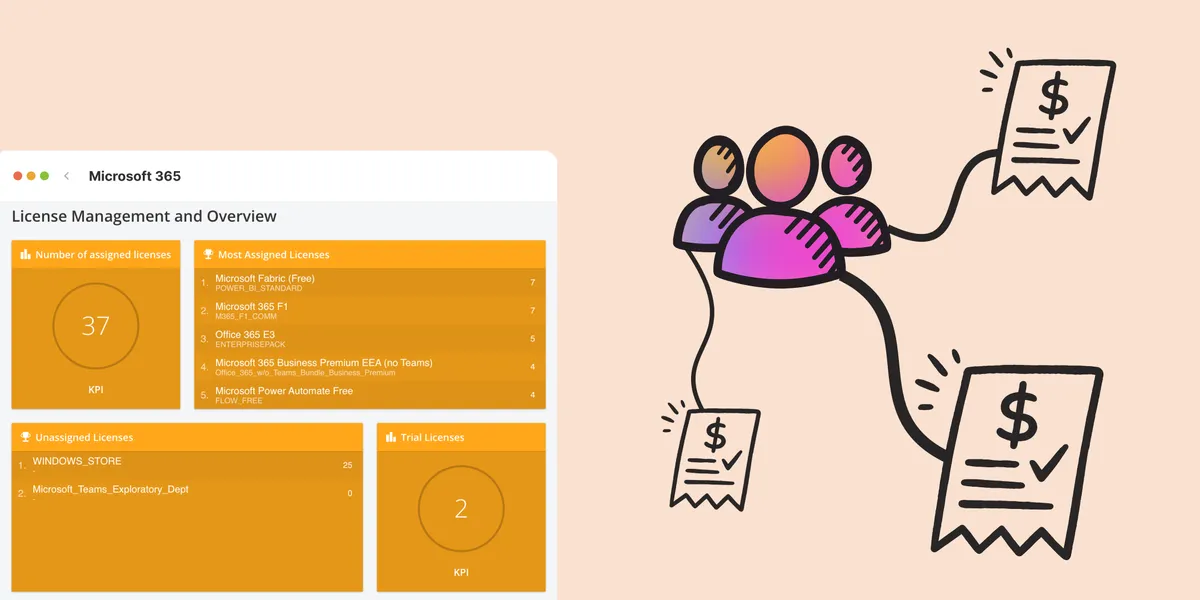
Do You Know Your True License Position?
Before locking pricing, CIOs and M365 administrators should be able to answer:
- How many licenses are actively used today?
- How many users have been inactive in the last 60–90 days?
- Are any users over-licensed relative to role requirements?
- Is headcount expected to increase or decrease in the next 12 months?
- What is the exact annual financial impact of the July increases?
Without clear visibility, organizations risk locking in inflated volumes at higher price points.
Example: If you have 800 Microsoft 365 E3 licenses: 800 × $3 increase × 12 months = $28,800 annual impact.
Without clear visibility, organizations risk locking in inflated volumes at higher price points.
Why This Is a Governance Issue
The 2026 changes highlight a broader shift: Microsoft 365 licensing is becoming more dynamic and more financially sensitive. The organizations that manage this well are not reacting to price increases, they are continuously:
- Monitoring and reporting license allocation
- Identifying inactive accounts
- Aligning license tiers to role requirements
- Tracking historical changes over time
The decision is not simply whether to renew before July. The real question is whether you have sufficient visibility to make that decision based on facts rather than assumptions.
Final Takeaway
Microsoft 365 is not just becoming more expensive in 2026; It is becoming more structurally complex. Currency adjustments, suite differentiation, and NCE commitments increase the need for proactive license governance. Before locking in your next renewal, make sure you fully understand your current usage, projected growth, and exposure to the July pricing updates.
In 2026, visibility is not optional – it is strategic.
Learn more:
Related blog posts
All posts
Effective Configuration Management Requires Transparency Across All Systems
In modern IT environments, the gap between reported and actual configuration is bigger than most people realize. In this article, I explain why accurate inventory requires collecting data about each asset from multiple sources – not just one.
 Simon Håkansson November 18, 2025
How Lifecycle Cost Analysis Helps You Make Smarter IT Decisions
IT teams are under constant pressure to deliver more with less. But without understanding the true cost of every server, license, or laptop, even the most well-planned budgets can spiral out of control.
 Anton Berghult November 4, 2025
How Microsoft's New Licensing Model Impacts You - and How to Prepare with vScope
Starting November 2025, Microsoft will remove volume discounts in Enterprise Agreement, MPSA, and OSPA. In this article, we explain what the change means for your organization, and how vScope helps you gain full visibility and control of licenses and costs across your environment.
Anton Berghult October 29, 2025 
Last Day for Windows 10 - Are Your Clients Ready?
As of October 15, 2025, Microsoft officially ends support for Windows 10. In this article, we explore what that means, why Microsoft is making this change, and how you can use vScope’s inventory and prebuilt insights to stay ahead.
 Axel Svegerud October 14, 2025
Warranty Management in Practice: Checklist, Pitfalls, and How to Automate with vScope
Learn how to manage device warranties the right way. We walk through a step-by-step checklist for manual warranty tracking and how to automate follow-ups, reports, and alerts with vScope Discovery.
Anton Berghult September 4, 2025 
How to Optimize Microsoft Licenses to Save Both Money and Time
Keeping track of Microsoft licenses is one of the biggest challenges for many IT departments. With vScope’s new pre-packaged content, you gain better visibility and can easily identify hidden costs, inactive accounts, and overlapping licenses.
 Tim Hansson August 21, 2025
Optimize Your Database Environment: Pre-Built Content for Performance and Savings
Databases are the backbone of nearly every modern organization. From customer data to transactions and internal systems, your business relies on their performance and availability. In this post, we explore new content in vScope that helps you simplify and succeed in database management.
 Jacob Brodd August 21, 2025
Tackling Application Chaos: Why Comprehensive Windows Application Inventory Matters
Managing software and applications across an IT environment is often more complicated than it seems. IT teams regularly face challenges such as uncertainty about which applications are actually in use, outdated inventories, or inefficient manual tracking processes. The larger and more dynamic your IT environment, the harder it becomes to keep track of software, leading to inefficiencies, higher costs, and potential security vulnerabilities.
Anton Berghult March 21, 2025 Improve IT Service Management: How IT inventory supports you working in a service desk
Explore how vScope's IT inventory streamlines the daily work of Service Desk professionals, supporting troubleshooting, license verification, documentation, and proactive incident management.
 vScope February 27, 2024