

Details
Inventory Windows and Linux servers across on-prem, virtual and cloud environments. Collect operating system data, installed applications, configurations and security settings into one continuously updated asset repository.
-
Centralized server inventory
Collect operating system details, hardware information and configurations from servers across your entire infrastructure.
-
Application and service overview
Automatically inventory installed applications, running services and processes to maintain accurate and up-to-date documentation.
-
Security configuration visibility
Review firewall settings, RDP configurations, local administrators and other security-relevant settings directly in your asset repository.
-
Patch and update reporting
Track patch levels and update status across Windows and Linux servers to identify missing updates and reduce exposure.
-
Vulnerability insights
Highlight known vulnerability indicators and risky configurations to support proactive risk management.
-
Cross-platform support
Support for Windows, Linux and other Unix-based systems across physical, virtual and cloud environments.
Supported Platforms







Asset Types
- Machines
- File System Shares
- Disks
- Applications
- Operating Systems
- Services
- Processes
Example of Bundled Content
- Agent Softwares
- DNS Servers
- Physical Servers
- Server Documentation
- Windows Server Patch Management
- Windows Server Update Settings
Get Visibility.
Recent blog posts
All posts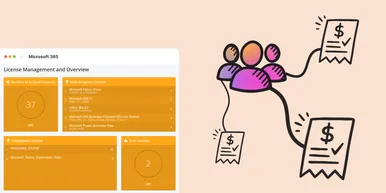
Microsoft 365 Pricing Changes 2026: What It Means for Your Budget
Microsoft is updating pricing and packaging for Microsoft 365 in 2026. Here’s what the currency adjustments and July price increases mean – and how CIOs and M365 admins should respond.
 Simon Håkansson March 2, 2026
New datasource: Proxmox
vScope now discovers Proxmox VE for hosts, VMs, containers, networks, and capacity. This will help you bring full visibility into hosts, VMs, containers, capacity and other Proxmox assets.
 Anton Berghult February 24, 2026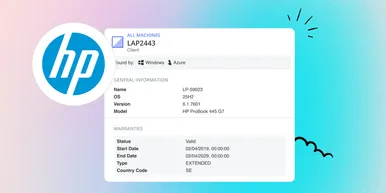
HP Warranty: Deeper lifecycle visibility
Fetch and sync warranty data from HP, directly to vScope for improved planning and control of your assets' life cycle status. In this post I will briefly go through the latest feature in vScope, and how this strengthen the value of your asset repository.
Anton Berghult February 23, 2026