

Details
Get full visibility of every printer on the network. Troubleshoot printers remotely checking their status directly from vScope and proactively avoid empty toners, ink cartridge and other interruptions.
-
Toner Level Monitoring
Generate reports on soon-to-be-empty toners to ensure timely replacements and avoid downtime.
-
Remote Printer Status Checks
Track the status of all printers remotely for efficient troubleshooting and management.
-
Printer Notifications
Set up notifications to receive printer status updates and alerts directly in your inbox.
-
Usage and Cost Analysis
Track printer usage to identify underutilized devices for discontinuation and estimate costs with scheduled reports.
-
Proactive Diagnostics
Continuously diagnose printers to detect common issues before they escalate into support requests.
-
Data Export and Visualization
Export printer insights to CSV or XLSX and visualize information for better collaboration across the IT organization.
Supported Platforms

Asset Types
- Printers
- IP Addresses
- Operating Systems
Example of Bundled Content
- Printer Copy & Print Overview
- Printer Print Overview - 30 Days
- Printer Total Usage - 30 Days
- Printer Documentation
- Unused Printers - 30 days
- Printer supply running low 15-25%
- Printers reports alerts
Get Visibility.
Recent blog posts
All posts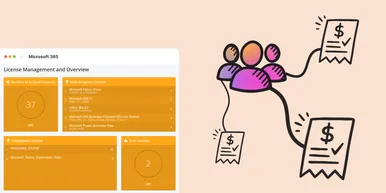
Microsoft 365 Pricing Changes 2026: What It Means for Your Budget
Microsoft is updating pricing and packaging for Microsoft 365 in 2026. Here’s what the currency adjustments and July price increases mean – and how CIOs and M365 admins should respond.
 Simon Håkansson March 2, 2026
New datasource: Proxmox
vScope now discovers Proxmox VE for hosts, VMs, containers, networks, and capacity. This will help you bring full visibility into hosts, VMs, containers, capacity and other Proxmox assets.
 Anton Berghult February 24, 2026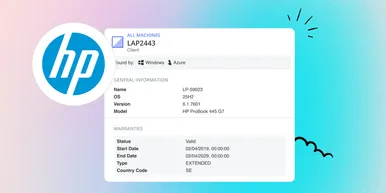
HP Warranty: Deeper lifecycle visibility
Fetch and sync warranty data from HP, directly to vScope for improved planning and control of your assets' life cycle status. In this post I will briefly go through the latest feature in vScope, and how this strengthen the value of your asset repository.
Anton Berghult February 23, 2026