

Details
Centralize switches, firewalls, access points and routers in one continuously updated inventory. See what’s connected where, detect misconfigurations early, and understand how your network supports the rest of your IT environment.
-
Centralized Network Inventory
Collect switches, ports, firewalls, routers and access points into a single source of truth instead of relying on fragmented tools and local knowledge.
-
Port-Level Visibility
Instantly see what device is connected to each switch port using IP, MAC and asset correlation (LLDP/CDP). Reduce troubleshooting time and eliminate guesswork.
-
Cross-Environment Relationship Mapping
Understand how network devices relate to servers, virtual machines and applications. See dependencies clearly to assess impact before making changes.
-
Configuration Risk Detection
Identify duplicate IP addresses, inconsistent gateway or DNS settings, unusual port speeds and other deviations before they become incidents.
-
Flexible SNMP Data Collection
Collect custom OIDs from any SNMP-enabled device to extend inventory and reporting without deploying additional tools.
-
Port Utilization History
Track port usage over time to identify unused capacity, overloaded switches and upgrade needs using historical data stored in vScope.
Supported Platforms

Asset Types
- Switches
- Switch Ports
- Access Points
- Firewalls
- Routers
- Load Balancers
Example of Bundled Content
- Network asset inventory across switches, access points, routers and firewalls
- IP address overview and complete IP plan
- DNS & default gateway consistency checks
- Physical switches and their connected ports
- Duplicate IP address detection
- Gateway configuration inconsistencies
- Switches with unusually low active port counts
- Changed switch port configurations over time
Get Visibility.
Recent blog posts
All posts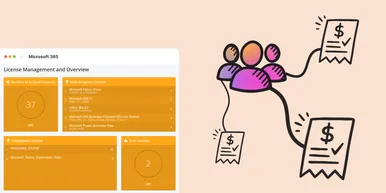
Microsoft 365 Pricing Changes 2026: What It Means for Your Budget
Microsoft is updating pricing and packaging for Microsoft 365 in 2026. Here’s what the currency adjustments and July price increases mean – and how CIOs and M365 admins should respond.
 Simon Håkansson March 2, 2026
New datasource: Proxmox
vScope now discovers Proxmox VE for hosts, VMs, containers, networks, and capacity. This will help you bring full visibility into hosts, VMs, containers, capacity and other Proxmox assets.
 Anton Berghult February 24, 2026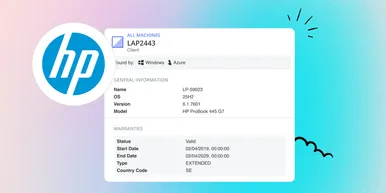
HP Warranty: Deeper lifecycle visibility
Fetch and sync warranty data from HP, directly to vScope for improved planning and control of your assets' life cycle status. In this post I will briefly go through the latest feature in vScope, and how this strengthen the value of your asset repository.
Anton Berghult February 23, 2026