

Mobile Devices
Centralize and Optimize Your Mobile Device Management with vScope's Mobile Device Module
Details
Enhance your IT visibility with vScope's Mobile Device Module. Centralize documentation of mobile devices from platforms like Azure, Jamf, and Google Workspace. Automatically map relationships, access out-of-the-box reports, identify obsolete assets, review configurations, and maintain historical traceability for effective mobile device management.
-
Centralized Mobile Device Inventory
Consolidate and document mobile devices from various platforms, including Azure, Jamf, Google Workspace, and Endpoint Central, into a single, comprehensive view.
-
Automated Relationship Mapping
Understand relationships and dependencies between mobile devices and associated assets, such as owners, primary users, and enrollment details, through automatic mapping.
-
Out-of-the-Box Reporting
Access instant reports on mobile device assets, configurations, and statuses to enhance IT visibility and decision-making.
-
Obsolete Asset Identification
Quickly identify misconfigured or obsolete mobile devices to optimize resource allocation and reduce unnecessary costs.
-
Configuration Review
Review and compare mobile device configurations across any platform in one place, ensuring compliance with organizational policies.
-
Historical Traceability
Trace back any changes regarding new assets or configurations to maintain a comprehensive history of your mobile device landscape.
Supported Platforms







Asset Types
- Mobile Devices
Example of Bundled Content
- G Suite Mobile Devices
- Intune Mobile Devices
- Microsoft 365 Defender Devices with High Exposure Level
- Microsoft 365 Defender Sensor Health Status Inactive
- Mobile Device OS Documentation
- Intune Windows Clients Not Updated In 30 Days
- Microsoft 365 Defender Oldest Devices
Get Visibility.
Recent blog posts
All posts
Microsoft 365 Pricing Changes 2026: What It Means for Your Budget
Microsoft is updating pricing and packaging for Microsoft 365 in 2026. Here’s what the currency adjustments and July price increases mean – and how CIOs and M365 admins should respond.
 Simon Håkansson March 2, 2026
New datasource: Proxmox
vScope now discovers Proxmox VE for hosts, VMs, containers, networks, and capacity. This will help you bring full visibility into hosts, VMs, containers, capacity and other Proxmox assets.
 Anton Berghult February 24, 2026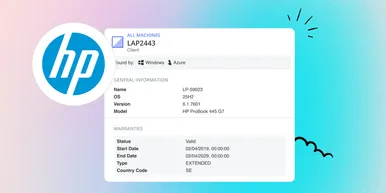
HP Warranty: Deeper lifecycle visibility
Fetch and sync warranty data from HP, directly to vScope for improved planning and control of your assets' life cycle status. In this post I will briefly go through the latest feature in vScope, and how this strengthen the value of your asset repository.
Anton Berghult February 23, 2026