

Details
No matter if you are running MS SQL, MySQL, Oracle database in the cloud or locally, vScope provides a unified view of all instances in one single view.
-
Full dependency Mapping
Understand relationships and dependencies between databases and their relationships to eg. servers, disks, hosts, clients or users.
-
Transaction Lock Monitoring
Identify lingering transaction locks to optimize database performance and prevent bottlenecks.
-
Database Backup and SQL Job Status
Track the backup status of all databases, including detailed SQL job information, for enhanced reliability.
-
Oracle Database Auditing
Audit Oracle databases to uncover insights such as licensing details and user activity.
-
Transaction Log Notifications
Receive alerts when transaction logs grow in size to prevent storage and performance issues.
-
Comprehensive Database Overview
View recovery model settings and IO characteristics for all databases in one consolidated interface.
Supported Platforms



Asset Types
- Database Systems
- Databases
- Jobs
- Oracle Schemas
Example of Bundled Content
- Databases Hardware Dependencies
- Database Consumption
- Servers & Database Connections
- Database Performance (Read/Write)
- SQL servers with new failed logins
- SQL databases with transaction locks held more than 24 hours
- SQL databases have blocked sessions
Get Visibility.
Recent blog posts
All posts
Microsoft 365 Pricing Changes 2026: What It Means for Your Budget
Microsoft is updating pricing and packaging for Microsoft 365 in 2026. Here’s what the currency adjustments and July price increases mean – and how CIOs and M365 admins should respond.
 Simon Håkansson March 2, 2026
New datasource: Proxmox
vScope now discovers Proxmox VE for hosts, VMs, containers, networks, and capacity. This will help you bring full visibility into hosts, VMs, containers, capacity and other Proxmox assets.
 Anton Berghult February 24, 2026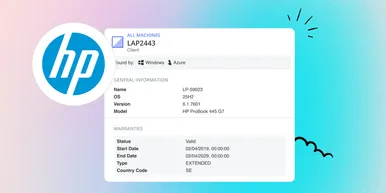
HP Warranty: Deeper lifecycle visibility
Fetch and sync warranty data from HP, directly to vScope for improved planning and control of your assets' life cycle status. In this post I will briefly go through the latest feature in vScope, and how this strengthen the value of your asset repository.
Anton Berghult February 23, 2026