

Details
Discover and document client assets effortlessly with vScope's Client Module. Benefit from automated relationship mapping, comprehensive application inventories, security audits, warranty tracking, and historical traceability–all without the need for agents. Elevate your IT management and visibility today.
-
Agentless Client Inventory
Seamlessly identify and document client assets without the need for agents, providing a holistic view of your network.
-
Automated Relationship Mapping
Automatically map relationships between client devices and other network assets, eliminating manual updates and ensuring accurate documentation.
-
Comprehensive Application Inventory
Maintain a full inventory of installed applications across all clients, enabling efficient management and security oversight.
-
Security Audits and Alerts
Collect information on local user accounts to build reports and alerts about unwanted administrators, enhancing security protocols.
-
Warranty and Service Tracking
Build customized warranty reports to initiate and follow up on replacement projects, ensuring timely maintenance and asset longevity.
-
Historical Traceability
Maintain a historical record of client configurations and changes, supporting audits and compliance efforts.
Supported Platforms







Asset Types
- Machines
- Display Devices
- IP Addresses
- Docking Stations
- Applications
- Operating Systems
- Services
- Deployments
Example of Bundled Content
- Java - All Versions
- Inactive Machines - 6 Months
- File System Size & Growth
- Microsoft 365 Defender Older Than 3 Years
- New Applications - 30 Days
- P2P file sharing applications
- Adobe Acrobat version spread
- End-of-life: Adobe software detected
- OS is older than 5 years
- Microsoft Defender: Antispyware is not enabled
- Windows Update detection error
Get Visibility.
Recent blog posts
All posts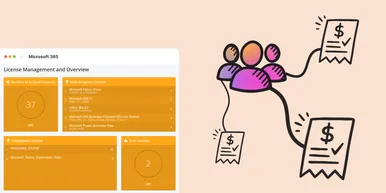
Microsoft 365 Pricing Changes 2026: What It Means for Your Budget
Microsoft is updating pricing and packaging for Microsoft 365 in 2026. Here’s what the currency adjustments and July price increases mean – and how CIOs and M365 admins should respond.
 Simon Håkansson March 2, 2026
New datasource: Proxmox
vScope now discovers Proxmox VE for hosts, VMs, containers, networks, and capacity. This will help you bring full visibility into hosts, VMs, containers, capacity and other Proxmox assets.
 Anton Berghult February 24, 2026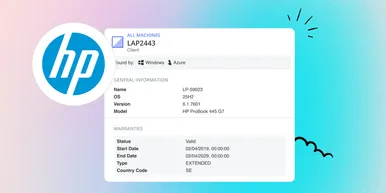
HP Warranty: Deeper lifecycle visibility
Fetch and sync warranty data from HP, directly to vScope for improved planning and control of your assets' life cycle status. In this post I will briefly go through the latest feature in vScope, and how this strengthen the value of your asset repository.
Anton Berghult February 23, 2026