


Details
Automatically and agentlessly inventory and document your Proxmox VE environment. Gain full control of hosts, virtual machines, networking, and capacity, centralized in your asset repository.
-
Complete host and VM inventory
Document Proxmox hosts and KVM-based virtual machines with CPU, memory, and disk allocations. Get a continuously updated and unified view of your virtual infrastructure without manual effort.
-
Network overview and dependencies
Visualize VLANs, and network relationships between hosts and virtual machines. Understand how resources are connected and how changes impact the environment.
-
Right-sizing
Identify oversized or inactive virtual machines. Optimize capacity, avoid unnecessary hardware investments.
-
Put infrastructure in business context
Link virtual infrastructure to vScope Governance, e.g. services, applications, vendors, and owners. Establish clear accountability and understand business impact directly within your asset repository.
Asset Types
- Host
- Virtual Machine
- Network
- Storage
- Containers
Example of Bundled Content
- Proxmox Overview
- Proxmox Logical Volumes
- Proxmox Datastores
- Proxmox Guest Agent disabled
Get Visibility.
Recent blog posts
All posts
Microsoft 365 Pricing Changes 2026: What It Means for Your Budget
Microsoft is updating pricing and packaging for Microsoft 365 in 2026. Here’s what the currency adjustments and July price increases mean – and how CIOs and M365 admins should respond.
 Simon Håkansson March 2, 2026
New datasource: Proxmox
vScope now discovers Proxmox VE for hosts, VMs, containers, networks, and capacity. This will help you bring full visibility into hosts, VMs, containers, capacity and other Proxmox assets.
 Anton Berghult February 24, 2026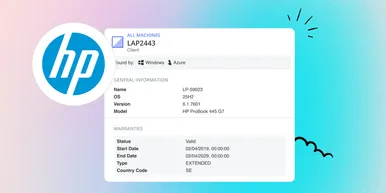
HP Warranty: Deeper lifecycle visibility
Fetch and sync warranty data from HP, directly to vScope for improved planning and control of your assets' life cycle status. In this post I will briefly go through the latest feature in vScope, and how this strengthen the value of your asset repository.
Anton Berghult February 23, 2026