


Create a Great Cost Report: Three Ways to Price Your IT Environment
Do you and your organization lack clear routines for communicating the value and costs of IT delivery? You’re not alone. Getting started doesn’t have to be difficult. Here are three practical ways to price IT and create a cost report that makes IT costs clear to the business.
 Anton Berghult •
 Make What’s Hidden in the IT Budget Concrete
A common challenge for organizations is that the business and IT requesters don’t understand how their activities and decisions drive costs for the IT department. This can include everything from support tickets, laptop orders, new licenses, firewalls, and VPNs to access to new services. Everything obviously has a cost, but for the requester, these expenses almost always end up in the generic “IT budget.”
This is partly due to the business lacking both insight into and understanding of IT’s cost structure. What does access to Microsoft Teams, Adobe Photoshop, or the payroll system actually cost? Another contributing factor is the lack of effective ways for IT to communicate and make tangible what is actually delivered to the business. As a result, both sides are left in the dark when it comes to the question:
How do we fairly allocate costs related to IT delivery?
Allocate Costs in a Cost Report
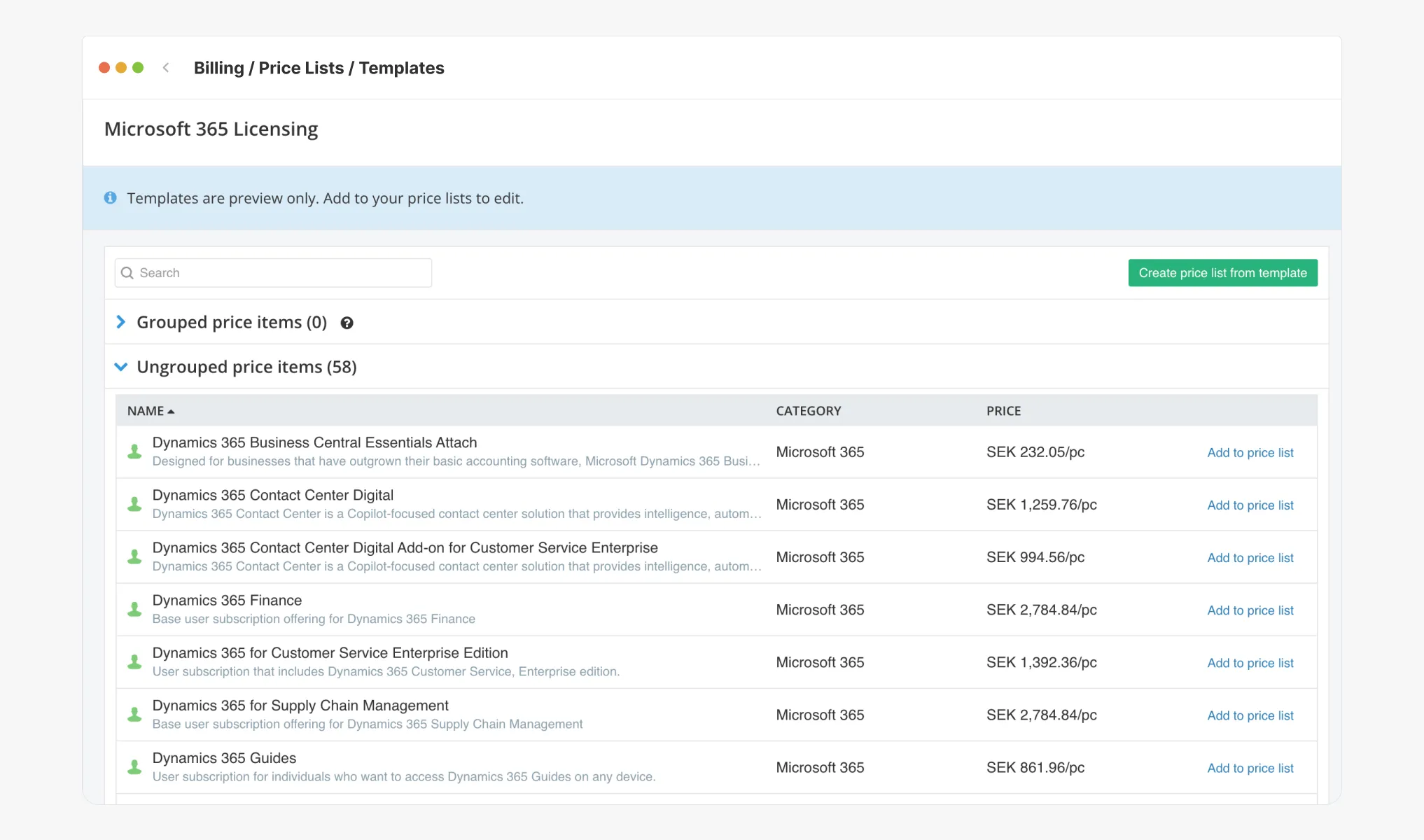
With this in mind, wouldn’t it make sense to try breaking down the fuzzy “IT budget” into more concrete cost items? This gives IT the opportunity to communicate costs more clearly, while giving the business better insight into how their usage contributes to those costs.
Let’s start by reviewing three different examples of what an IT cost report might look like. These reports can serve as a shared foundation for agreeing on how costs should be allocated–a first step toward greater transparency.
The following cost reports are based on three different ways of pricing IT. They vary in complexity and therefore also in how much time is required to compile them. Use these as guidance and as a first step toward better alignment between IT and the business.
Option 1: Simple, Fast, Efficient / Per User Account
Example Price List
Cost to allocate: $100,000 / year
Department A: 150 user accounts
Department B: 80 user accounts
Department C: 20 user accounts
Annual cost per account: 100,000 / 250 = $400
Example Cost Report
| Recipient | Quantity | Total |
|---|---|---|
| Department A | 150 × 400 | $60,000 |
| Department B | 80 × 400 | $32,000 |
| Department C | 20 × 400 | $8,000 |
Benefits
- Easy to understand and quick to implement.
- Simple to adjust pricing annually.
- Useful for high-level budget indication.
But keep in mind…
- No insight into what actually drives costs.
- Requesters have little influence over costs other than disabling accounts.
- Allocation can be skewed if some departments have many users but low consumption.
Option 2: Balanced / Packaged
Example Price List
| Bronze | Silver | Gold | |
|---|---|---|---|
| Base cost | $30 | $80 | $150 |
| O365 | E1 | E3 | E5 |
| User account | 1 | 1 | 1 |
| Laptop/iPad | 1 | 2 | 2 |
| Antivirus | No | No | Yes |
| VPN | No | No | Yes |
Example Cost Report
| Workplace | ||||
|---|---|---|---|---|
| Bronze | Silver | Gold | Total | |
| Department A | 100 | 50 | 2 | $7,300 |
| Department B | 50 | 20 | 0 | $3,100 |
| Department C | 5 | 0 | 1 | $300 |
Benefits
- The business can influence costs by choosing tiers.
- Clear and easy-to-read reports.
- Data can be updated continuously.
But keep in mind…
- More detail requires more accurate and frequent updates.
- Decide how to handle “other” or shared costs.
- Clearly define what’s included in each package.
Option 3: Maximum Precision / Detailed
Example Price List
| Items | Price |
|---|---|
| Licenses (O365) | $30 per license |
| Licenses (Antivirus) | $20 per license |
| Hardware (Laptops) | $50 per unit |
| WiFi (fixed cost) | $1,000 |
| Monitoring (per service used) | $100 per service |
| Remote support (per laptop) | $5 per laptop |
| Support tickets | $3 per ticket |
| Print volume (B/W / Color) | $1 / $1 per B/W / color |
| External consulting hours | $100 per hour |
Example Cost Report
| Items | Department A | Department B | Department C |
|---|---|---|---|
| Licenses (O365) | 100 | 15 | 0 |
| Licenses (Antivirus) | 50 | 25 | 10 |
| Hardware (Laptops) | 50 | 50 | 50 |
| WiFi | 1 | 1 | 1 |
| Monitoring (per service used) | 5 | 3 | 1 |
| Remote support (per laptop) | 50 | 50 | 50 |
| Support tickets | 30 | 90 | 10 |
| Print volume (B/W / Color) | 0 / 0 | 200 / 0 | 3,000 / 1,500 |
| External consulting hours | 0 | 10 | 30 |
| Total | $8,340 | $6,370 | $10,080 |
Benefits
- High transparency and perceived fairness.
- Clear visibility into cost drivers.
- Strong foundation for optimization and cost savings.
But keep in mind…
- Requires high data quality and ongoing updates.
- More administration when many items or metrics are involved.
- Allocation keys must be carefully calibrated to feel fair.
In Closing
There is no single truth when it comes to IT pricing. Choose a model that feels fair and reflects the actual costs of IT delivery. The examples above provide three starting points. If you want to dive deeper, I recommend the guide Cost Reporting for IT, where you’ll find more tips on pricing and building reports for different stakeholders within the organization.
Good luck!
Related blog posts
All posts
How to rightsize databases with vScope
Rightsizing your IT environment is a powerful way to optimize costs. Preparing for database resource migration offers a great chance to phase out unused elements and save on operational and licensing budgets. In this article, we will learn how to investigate database usage, identify unused resources, and significantly lower costs for both migration and future operations.
 Anton Berghult June 13, 2025
Full Control Over Users and Issues in Jira with vScope
We're excited to announce the initial integration with Atlassian Jira, the leading platform for project and issue tracking. This enhancement will provide you with an improved overview of users, activity, and issues directly within vScope, simplifying the process of tracking license utilization, identifying opportunities for cost efficiency, and connecting issues to relevant services.
Anton Berghult May 19, 2025 
Securing Your Windows Data Center: Best Practices for IT Discovery Read Accounts
Gaining comprehensive visibility into your IT environment is crucial for accurate asset inventory, documentation, and effective security audits. However, granting overly broad access and permissions for user accounts can introduce significant security vulnerabilities, making the careful management of user account access a critical concern.
Anton Berghult April 22, 2025 Getting Started with IT Governance in vScope
IT governance can be challenging when managing complex IT assets, documentation, and compliance. vScope simplifies this process with vScope Governance, a features that deliver complete visibility and streamlined collaboration across your network. In this post I will share three tips to get started and get the most out of IT governance in vScope.
Anton Berghult February 27, 2025 
The Ultimate Guide to IT Asset Inventory: Best Practices and Tools
In the ever-evolving world of technology, managing and maintaining IT assets is crucial for the smooth functioning of any organization. From hardware devices and software licenses to network equipment and digital resources, IT asset inventory plays a significant role in ensuring optimal performance and cost-effective operations.
Anton Berghult November 28, 2023 What is CMDB: A comprehensive guide to configuration management database
The Configuration Management Database (CMDB) is a crucial component of IT Service Management (ITSM). It serves as a central repository for storing and managing information about the various configuration items (CIs) within an organization's IT infrastructure. In this comprehensive guide, we will delve into the basics of CMDB, its key components, its role in ITSM, the process of implementing it, and the best practices for managing it effectively.
Anton Berghult November 28, 2023 Everything you need to know about ITSM
How can IT organizations better align their operations to support the main business objectives? How can technology facilitate more efficient workflows in the company as a whole and how can IT staff continuously improve its operations to deliver better IT services? These questions are some of the reasons why companies are investing in, implementing, and developing ITSM processes.
Anton Berghult April 21, 2023 3 steps to reduce your IT costs
As IT is becoming an integral part of organizations the costs of IT are increasing. Many businesses are therefore looking for ways to reduce their IT costs. Here we present 3 tips to reduce your IT costs!
 Soroush Pourhadi July 20, 2021
 3 common challenges with ITAM
IT asset management (ITAM) is an incredibly efficient way to keep track of your IT assets – if it is executed correctly. In this article, we explore three common challenges associated with ITAM and how to solve them.
Anton Berghult June 11, 2021