


Microsoft Defender
Gather devices and add threat data to assets from Microsoft Defender
Details
Gain inventory visibility into the antivirus status and endpoint security configurations managed by Microsoft Defender for Endpoint within vScope. Notice that the Microsoft Defender integration is part of vScope's integration to Azure Resource Manager.
-
Microsoft Defender threat status inventory
View the current status of malware protection and definition updates across your managed endpoints within your central inventory.
-
Microsoft Defender policy compliance overview
Understand the enforcement status of your security policies configured in Microsoft Defender across your devices as inventoried in vScope.
-
Extended inventory with Defender Device inventory
Extend vScope's discovery by adding devices discovered using Microsoft Defender's built-in device discovery. If configured, the assets will automatically show up in vScope, allowing for discovery of eg. IoT-devices.
Asset Types
- Mobile Devices
- Applications (Software)
- Laptops
- Servers
Example of Bundled Content
- Microsoft Defender Overview
- Microsoft Defender - Configurations Overview
- Microsoft Defender: Antivirus is not enabled
- Microsoft Defender: No scan last 14 days
Get Visibility.
Recent blog posts
All posts
Microsoft 365 Pricing Changes 2026: What It Means for Your Budget
Microsoft is updating pricing and packaging for Microsoft 365 in 2026. Here’s what the currency adjustments and July price increases mean – and how CIOs and M365 admins should respond.
 Simon Håkansson March 2, 2026
New datasource: Proxmox
vScope now discovers Proxmox VE for hosts, VMs, containers, networks, and capacity. This will help you bring full visibility into hosts, VMs, containers, capacity and other Proxmox assets.
 Anton Berghult February 24, 2026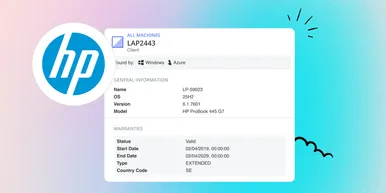
HP Warranty: Deeper lifecycle visibility
Fetch and sync warranty data from HP, directly to vScope for improved planning and control of your assets' life cycle status. In this post I will briefly go through the latest feature in vScope, and how this strengthen the value of your asset repository.
Anton Berghult February 23, 2026