

Details
Hosts, virtual machines, datastores and hypervisors. The virtual infrastructure consists of many fundamental components and they are all discovered and analyzed by vScope.
-
Optimization Insights
Automate calculations to identify potential optimizations and reduce inefficiencies in virtualization environments.
-
Orphaned VM Detection
Find orphaned VMs and identify VM sprawl to improve resource allocation and management.
-
Unified Virtual Machine View
Access detailed information on hosts, VMware VMs, Hyper-V machines, Azure, and EC2 VMs in one consolidated view.
-
Snapshot and Checkpoint Monitoring
Track snapshots and checkpoints to detect those growing in size and prevent storage overuse.
-
Cost and Resource Analysis
Overview costs associated with running VMs in the cloud and identify underutilized datastores.
-
Historical VM Data
Access all historical changes to VMs, including configurations, states, and guest tool statuses, for better tracking and troubleshooting.
Supported Platforms





Asset Types
- Virtual Machines
- Datastores
- Disks
- VLans
- Hosts
- VM Snapshots & Checkpoints
- Clusters
- Virtual Switches
Example of Bundled Content
- Latest Snapshots & Checkpoints
- Machines grouped By VLAN
- Cluster Efficiency
- Disks
- Thick & Thin Provisioned vDisks
- VMs and Datastore Mapping
- VMs and NIC Types
- vSwitches Documentation
Skaffa Visibilitet.
Senaste blogginläggen
Visa alla inlägg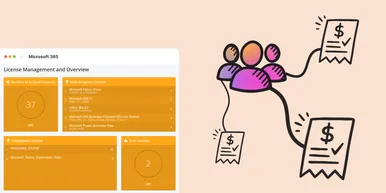
Microsoft 365 prisförändringar 2026: Vad innebär det i praktiken?
Under 2026 uppdaterar Microsoft sin prisbild och licensstruktur för Microsoft 365. Förändringarna kommer påverka både budget och licenshantering. I denna artikel går vi igenom vad du behöver veta för att undvika onödiga kostnadsökningar.
 Simon Håkansson 2 mars 2026
Ny datakälla: Proxmox
Nu kan du inventera Proxmox VE med vScope för att bättre dokumentera dina värdar, virtuella maskiner, containers och nätverk. Detta ger dig full överblick över dina Proxmox-assets och gör vScope till ett ännu mer heltäckande assetregister. Proxmox har varit en av de mest efterfrågade datakällorna i och med att organisationer ser över sin strategi för virtualiserad infrastruktur. Låt oss gå igenom några highlights!
 Anton Berghult 24 februari 2026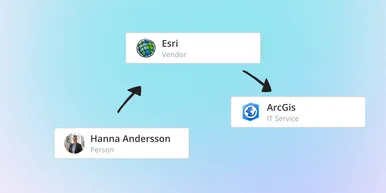
IT Services blir Governance – Se dina assets ur ett verksamhetsperspektiv
I vår senaste uppdatering hittar du utökad funktionalitet för att skapa valfritt kontext för dina assets. Exempelvis applikationer, leverantörer, ägarskap, policyer och mer. Det gör det möjligt för dig att dokumentera hela din förvaltningsmodell i vScope.
Anton Berghult 23 februari 2026