

Details
Centralize switches, firewalls, access points and routers in one continuously updated inventory. See what’s connected where, detect misconfigurations early, and understand how your network supports the rest of your IT environment.
-
Centralized Network Inventory
Collect switches, ports, firewalls, routers and access points into a single source of truth instead of relying on fragmented tools and local knowledge.
-
Port-Level Visibility
Instantly see what device is connected to each switch port using IP, MAC and asset correlation (LLDP/CDP). Reduce troubleshooting time and eliminate guesswork.
-
Cross-Environment Relationship Mapping
Understand how network devices relate to servers, virtual machines and applications. See dependencies clearly to assess impact before making changes.
-
Configuration Risk Detection
Identify duplicate IP addresses, inconsistent gateway or DNS settings, unusual port speeds and other deviations before they become incidents.
-
Flexible SNMP Data Collection
Collect custom OIDs from any SNMP-enabled device to extend inventory and reporting without deploying additional tools.
-
Port Utilization History
Track port usage over time to identify unused capacity, overloaded switches and upgrade needs using historical data stored in vScope.
Supported Platforms

Asset Types
- Switches
- Switch Ports
- Access Points
- Firewalls
- Routers
- Load Balancers
Example of Bundled Content
- Network asset inventory across switches, access points, routers and firewalls
- IP address overview and complete IP plan
- DNS & default gateway consistency checks
- Physical switches and their connected ports
- Duplicate IP address detection
- Gateway configuration inconsistencies
- Switches with unusually low active port counts
- Changed switch port configurations over time
Skaffa Visibilitet.
Senaste blogginläggen
Visa alla inlägg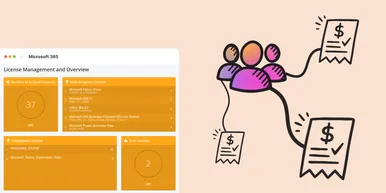
Microsoft 365 prisförändringar 2026: Vad innebär det i praktiken?
Under 2026 uppdaterar Microsoft sin prisbild och licensstruktur för Microsoft 365. Förändringarna kommer påverka både budget och licenshantering. I denna artikel går vi igenom vad du behöver veta för att undvika onödiga kostnadsökningar.
 Simon Håkansson 2 mars 2026
Ny datakälla: Proxmox
Nu kan du inventera Proxmox VE med vScope för att bättre dokumentera dina värdar, virtuella maskiner, containers och nätverk. Detta ger dig full överblick över dina Proxmox-assets och gör vScope till ett ännu mer heltäckande assetregister. Proxmox har varit en av de mest efterfrågade datakällorna i och med att organisationer ser över sin strategi för virtualiserad infrastruktur. Låt oss gå igenom några highlights!
 Anton Berghult 24 februari 2026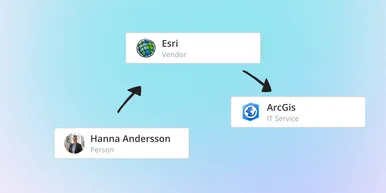
IT Services blir Governance – Se dina assets ur ett verksamhetsperspektiv
I vår senaste uppdatering hittar du utökad funktionalitet för att skapa valfritt kontext för dina assets. Exempelvis applikationer, leverantörer, ägarskap, policyer och mer. Det gör det möjligt för dig att dokumentera hela din förvaltningsmodell i vScope.
Anton Berghult 23 februari 2026