

Mobile Devices
Centralize and Optimize Your Mobile Device Management with vScope's Mobile Device Module
Details
Enhance your IT visibility with vScope's Mobile Device Module. Centralize documentation of mobile devices from platforms like Azure, Jamf, and Google Workspace. Automatically map relationships, access out-of-the-box reports, identify obsolete assets, review configurations, and maintain historical traceability for effective mobile device management.
-
Centralized Mobile Device Inventory
Consolidate and document mobile devices from various platforms, including Azure, Jamf, Google Workspace, and Endpoint Central, into a single, comprehensive view.
-
Automated Relationship Mapping
Understand relationships and dependencies between mobile devices and associated assets, such as owners, primary users, and enrollment details, through automatic mapping.
-
Out-of-the-Box Reporting
Access instant reports on mobile device assets, configurations, and statuses to enhance IT visibility and decision-making.
-
Obsolete Asset Identification
Quickly identify misconfigured or obsolete mobile devices to optimize resource allocation and reduce unnecessary costs.
-
Configuration Review
Review and compare mobile device configurations across any platform in one place, ensuring compliance with organizational policies.
-
Historical Traceability
Trace back any changes regarding new assets or configurations to maintain a comprehensive history of your mobile device landscape.
Supported Platforms







Asset Types
- Mobile Devices
Example of Bundled Content
- G Suite Mobile Devices
- Intune Mobile Devices
- Microsoft 365 Defender Devices with High Exposure Level
- Microsoft 365 Defender Sensor Health Status Inactive
- Mobile Device OS Documentation
- Intune Windows Clients Not Updated In 30 Days
- Microsoft 365 Defender Oldest Devices
Skaffa Visibilitet.
Senaste blogginläggen
Visa alla inlägg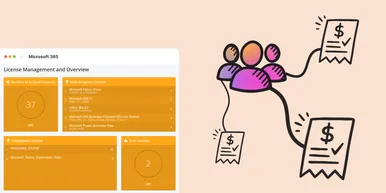
Microsoft 365 prisförändringar 2026: Vad innebär det i praktiken?
Under 2026 uppdaterar Microsoft sin prisbild och licensstruktur för Microsoft 365. Förändringarna kommer påverka både budget och licenshantering. I denna artikel går vi igenom vad du behöver veta för att undvika onödiga kostnadsökningar.
 Simon Håkansson 2 mars 2026
Ny datakälla: Proxmox
Nu kan du inventera Proxmox VE med vScope för att bättre dokumentera dina värdar, virtuella maskiner, containers och nätverk. Detta ger dig full överblick över dina Proxmox-assets och gör vScope till ett ännu mer heltäckande assetregister. Proxmox har varit en av de mest efterfrågade datakällorna i och med att organisationer ser över sin strategi för virtualiserad infrastruktur. Låt oss gå igenom några highlights!
 Anton Berghult 24 februari 2026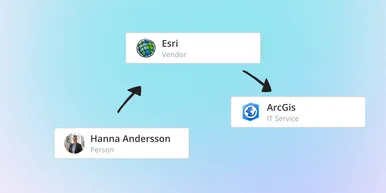
IT Services blir Governance – Se dina assets ur ett verksamhetsperspektiv
I vår senaste uppdatering hittar du utökad funktionalitet för att skapa valfritt kontext för dina assets. Exempelvis applikationer, leverantörer, ägarskap, policyer och mer. Det gör det möjligt för dig att dokumentera hela din förvaltningsmodell i vScope.
Anton Berghult 23 februari 2026